
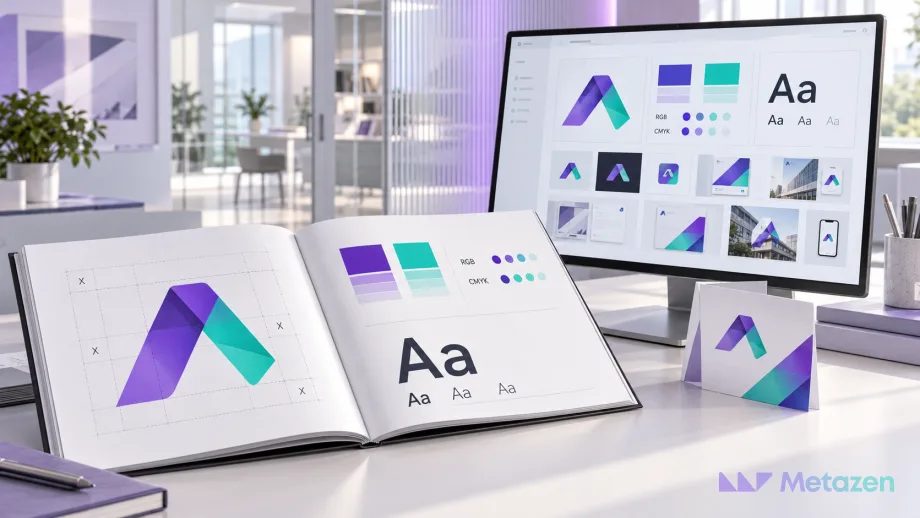
The new brand guidelines arrive with polished layouts, a coherent palette and carefully arranged logo examples. The next morning, sales cannot find the font for a proposal and the print supplier asks for a color specification that nobody has. Approval of the design has left some practical decisions unresolved.
Before accepting brand guidelines, review six areas: logo rules, color specifications, typography, application examples, asset access and responsibility for updates. The aim is a document the team can use without sending every routine question back to the designer. If the visual system itself is still undecided, start with the process of building a brand identity.
Check against the agreed scope. Social templates, packaging artwork and tone of voice are not automatically included in every project. Treat an uncommissioned application as a potential next job, rather than a missing deliverable. Compare unclear items with the deliverables in the design proposal.
1. Can Someone Apply the Logo Rules Without Guessing?
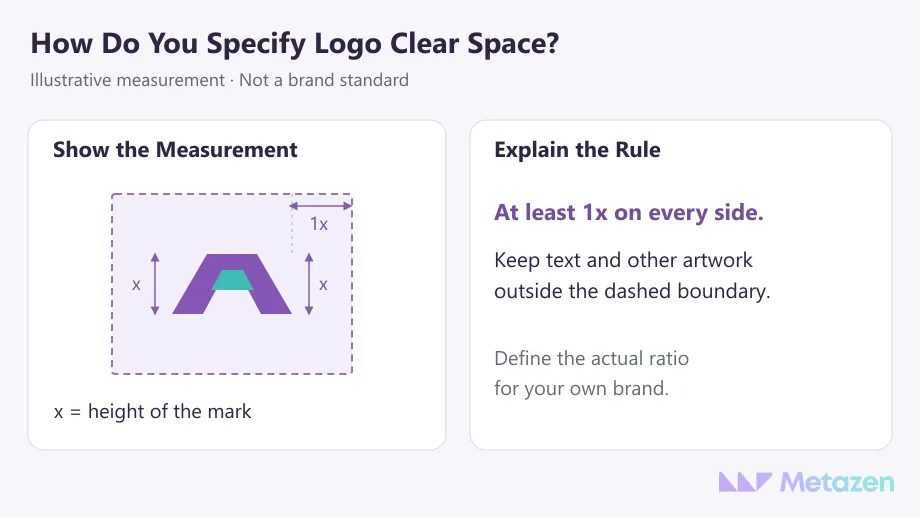
“Leave enough space around the logo” allows different interpretations. A diagram should identify the measurement reference. For example, a mark’s height could be labeled x, with 1x of clear space required on each side. The ratio is an illustration, not a universal standard for logos.
Distinguish the primary logo, any approved horizontal or stacked versions, and a standalone symbol if one exists. Show the appropriate version for dark backgrounds, minimum sizes and an alternative when the main logo becomes unreadable. Identify the units used for print and screen sizes.
Select misuse examples that address likely mistakes: stretching the mark, placing it over a busy image or applying an unapproved color. A few relevant comparisons can answer more practical questions than pages of unrelated prohibitions.
2. Are Color Specifications Matched to Their Use?
A swatch labeled “purple” leaves too much to interpretation. Look for HEX and RGB values for digital work, agreed CMYK values for print and a spot color reference where required. IBM’s color system provides a published example of separate digital and print specifications. Its values belong to its own identity; yours need their own decisions.
Assign a role to each color. Which is primary, which is an accent, and which combinations are approved for text and backgrounds? Two attractive shades in a presentation may produce a poor reading experience in a small caption. Inspect the combinations in use.
Do not approve print color from a screen swatch alone. Adobe’s color management documentation explains the importance of an output profile that describes the device and printing conditions, including paper. Agree on supplier requirements and proof approval as part of the print production workflow.
3. Does the Typography Work with Real Copy?
A font name does not tell a sales coordinator how to format a proposal. Ask for an example that distinguishes the title, section heading, body copy and caption. Weight, size, spacing and alignment need to work together. IBM’s typography guidance illustrates how hierarchy extends beyond choosing a typeface.
Test a realistic proposal heading, a long product name and a paragraph of actual-length copy. If the company publishes in several languages, include their required characters. Open the presentation on an intended recipient’s computer and check whether a missing font changes line breaks or pushes text outside its frame.
Do not assume font files can be handed over. Redistribution depends on the license. Adobe Fonts’ packaging guidance states that its font files cannot be copied or moved. Confirm access for the people who will edit the work, and agree on a fallback where needed.
4. Do the Examples Cover Work Your Team Actually Produces?
An elegant business card mockup may say little about the sales deck updated every week. Select two or three recurring tasks: a proposal cover, product page, social announcement or email signature. Review the applications included in the project using realistic content, rather than short placeholders chosen to fit the layout.
A catalog layout built around a short product name can struggle with a long technical description. Supply prepared product information so the designer can show how the system handles it. The difficult cases often become visible only after the content is in place.
| What You Find | What to Clarify |
|---|---|
| The logo appears only on white backgrounds. | Which approved version should be used over a dark photograph? |
| The deck names a font, but its layout changes on another computer. | How will editors access the font, and what fallback should they use? |
| The social example contains a one-word headline. | How should a longer campaign headline affect line breaks and logo placement? |
| A catalog example is included, but no editable source is supplied. | Was the deliverable an application example or a reusable template? |
The last question is about scope. A mockup, a finished application and an editable template are different deliverables. Open the item that was actually agreed and check whether it can serve its intended purpose.
5. Can Readers Find and Open the Correct Assets?
If the guidelines say “use the white logo,” the team should be able to locate that file. A filename or link to the current folder beside the example makes the connection explicit. Separate source files, ready-to-use exports and any commissioned templates. For the format checks themselves, use the logo file handover checklist.
Testing a shared link while signed into the designer’s account is not enough. Open it as an intended recipient and check viewing, downloading and any required editing access. Record where the organization will retain the files, who grants access and what happens if the designer’s personal sharing link stops working.
Adobe’s explanation of a brand kit connects the rules to reusable assets. The guidelines explain a decision; the asset library supplies the material needed to carry it out.
6. Is the Current Version Clear, with an Owner for Changes?
If two folders contain different logos, staff need to know which one to use. Identify the guideline version, approval date and the location of the current assets. Decide how to notify people who still use older copies. Replace filenames such as “final,” “final2” and “really-final” with a version system the team can follow.
Routine edits need not require approval from the designer every time. Define who can change dates and photographs in a template, and who approves changes to the logo or color system. Separate the parts users may edit from decisions that need design review.
Close the handover meeting with a short practical exercise. Ask a team member to find the current files, prepare a sample proposal page and identify the approver. Record any missing rule, access permission or responsibility specifically, rather than leaving a general note that the guidelines need work.
Give Your Team a Brand System They Can Use
At Metazen, we connect visual decisions to the work the design needs to support. Bring your current assets and recurring applications to our design team so we can identify the rules or templates that are still missing. Explore our graphic design services to see how we can turn those needs into an agreed scope.

