
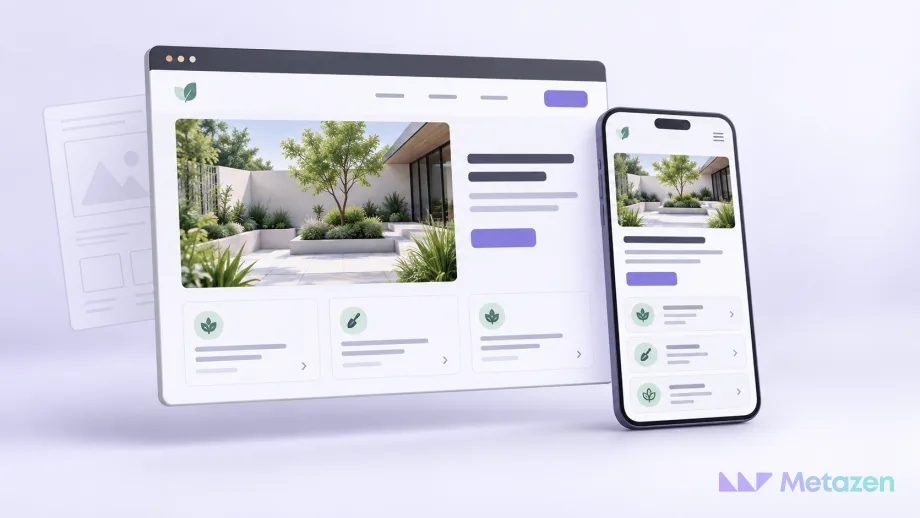
Imagine visiting a landscaping business’s website. The garden photographs catch your attention, but you still need to know whether the company serves your area and how to arrange a visit. Images, service descriptions, navigation and the enquiry form need to work together. Following that small journey explains why web design is concerned with use as well as appearance.
What Does Web Design Mean?
Web design plans how a website presents its content and how visitors use it. It covers page layouts, type, imagery, navigation, controls and behaviour across different screens. The aim is to express the business’s identity while making the visitor’s task understandable.
A static mock-up shows what a page could look like. Design decisions extend to what happens when a menu opens, a link is selected or someone makes a mistake in a form. MDN’s website planning introduction asks developers to consider content, appearance and functionality before writing code.
How Do UX, UI and Web Development Differ?
UX means user experience. It concerns a person’s experience of a product or service, including interactions beyond a website. UI means user interface: the menus, fields, buttons and layouts a visitor sees and uses. Nielsen Norman Group’s definition places the interface within the broader user experience.
| Area | Question | Landscaping website example |
|---|---|---|
| User Experience — UX | Can the visitor understand the service and complete their task? | Finding the service area and requesting a suitable site visit. |
| User Interface — UI | How are information and controls presented? | The position of the service-area details, field labels and submit button. |
| Web Development | How is the planned behaviour made to work? | Checking the form, sending the enquiry and displaying the outcome. |
Responsibilities may be shared among specialists or combined in one role. The boundary between design and development varies by project. Development turns the planned pages and interactions into a functioning website, including server or data connections where required.
Logos, colour and typography influence the interface’s visual language. Our business examples of graphic design explain how visual elements communicate a message. On a website, those choices need to work with navigation and the actions people take.
4 Questions That Explain Web Design
Consider the fictional landscaping website through four questions. Each question follows a different part of the visitor’s journey.
1. What Does the Visitor Want to Do?
A homeowner might be looking for garden ideas. A property manager might need regular grounds maintenance. Both arrive at the same website, but they need different information. Separating the services clearly can help each person find a relevant starting point.
The business goal and the visitor’s needs belong in the same discussion. If the company wants site-visit enquiries, people need enough information to decide whether to enquire. Where the business operates and what the service includes may matter before the visitor is ready to use a contact form.
2. How Will They Find the Information?
Menu labels such as “Projects”, “Garden Maintenance” and “Contact” describe what someone can expect to find. An unfamiliar slogan may give fewer clues. Headings within a page divide longer explanations into sections that readers can scan.
A visitor browsing finished gardens could learn which service was provided, then follow a relevant link to the service details or an enquiry form. A useful link answers the reader’s next question. Connecting pages is only part of its job. To decide where those answers belong, use our business website content and page planning approach, starting with visitor needs.
3. How Will They View and Use the Page?
Service cards arranged in a desktop row may form a single column on a phone. Responsive design adapts a layout to the available screen width. Shrinking an entire desktop page can leave tiny text and difficult controls. MDN’s responsive design explanation describes an approach based on flexible layouts.
Readable text, sufficient contrast and clear field labels support everyday use. An invalid field needs an explanation, rather than only a red border. W3C’s accessibility design tips address navigation and controls across different ways of using a site.
Fitting on the screen is only a starting point. A phone user still needs to find the service area, enter information and read the result. A screenshot cannot demonstrate every interaction.
4. What Happens After They Take Action?
What appears after someone submits the enquiry? How can they correct an incomplete phone number? If the request succeeded, how will they know there is no need to send it again? Design describes the different states of the interaction; development implements the behaviour.
W3C’s form notification guidance explains how success and error messages provide feedback. “Check your phone number” gives someone more help than “Error” alone. A confirmation should not promise a response time the business has never agreed to meet.
Someone will need to update service descriptions and project photographs after launch. A content management system gives authorised editors a way to manage that material. The WordPress block editor is one example of working with text and images visually; a custom booking or calculation feature may still require development. Our comparison of custom software and ready-made tools explains how to assess the options.
How Does the Type of Website Affect Design?
A business website may help people understand the company, its services and how to make contact. A portfolio presents work for inspection. An online shop supports product selection, baskets and ordering. The task changes the emphasis of the design.
The categories can overlap: a business might present services, maintain a project archive and sell products on the same site. A ready-made theme or a custom interface can be appropriate, depending on the content and functions required. Free starting options exist too. For example, WordPress.com offers a free plan, while a custom domain or an ad-free site can require a paid plan.
Does Launching the Site Finish the Design Work?
When services change, the website’s information and routes through the content need another look. If visitors repeatedly misunderstand a field, changing its colour may miss the cause; the label or explanation may need revision. A live site can be assessed through the way people actually use it. If content appears late or a menu responds slowly, prioritising website performance problems by user impact can help you decide what to investigate first.
Search visibility is a separate area of work. Google’s SEO Starter Guide focuses on helping search engines find and understand content. Appearance alone does not guarantee rankings. Our introduction to SEO and how it works explains the foundations.
At Metazen, we start website planning by discussing what visitors should be able to do. Exploring a service, requesting a quote and buying a product lead to different decisions about content, interface and development. Meet the team working across design and software, then see how we bring those disciplines into a project through our web design service.

